
Introduction
In the 3rd episode, we will transform our example from episode 2 (Modules Series: Episode 2) (an application with an embedded module). This time, the module implementation will be in its own cpp file, and we keep the “primary module interface” as clean as possible.
Basically for the example this means:
- only declarations in the interface
- implementation into a dedicated file
- the main.cpp remains unchanged
We will learn about:
- module implementation unit
- which build steps get (re)done when a certain file changes
Baseline, old style way
As a reference, let’s see how this looks on the traditional header based baseline.
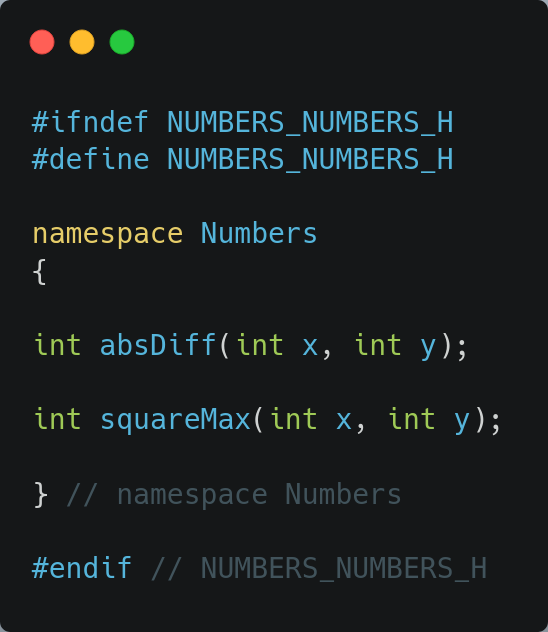
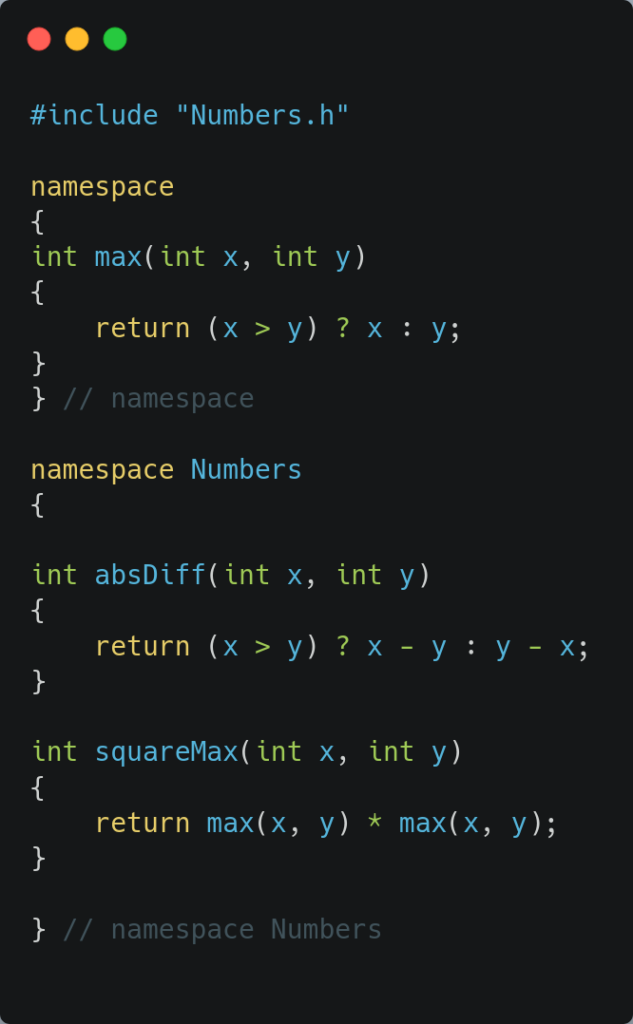
Note in the cpp, we can now put the helper method in the anonymous namespace. And we are including our public header file. We will not look at the CMakeLists.txt for the baseline, nothing new there.
The Modules way
The source file(s) in which we implement the module, are called “module implementation units“. These are regular source files.
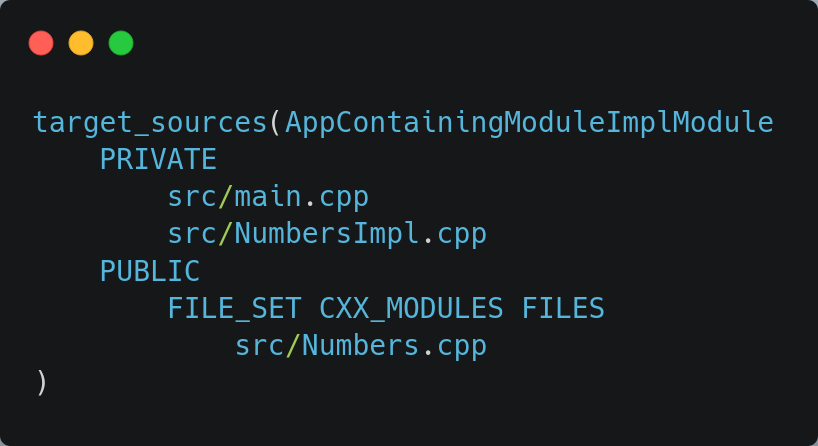
We need a change in the CMakeLists.txt, since we have an extra source file. It is a regular source file, we enumerate it in the list of regular source files, the modules file set remains as before (Numbers.cpp). We will call our implementation file NumbersImpl.cpp. The relevant section looks like:
Module Implementation Unit
A source file, becomes a module implementation unit, by explicitly stating that. It does so by saying (at/near the top) as follows:
module Numbers;So for example this becomes:
module Numbers;

// implementation code goes hereA module implementation unit automatically gets hold of the entire content of the primary module interface unit. All of it’s declarations and definitions (it doesn’t matter if those are exported or not).
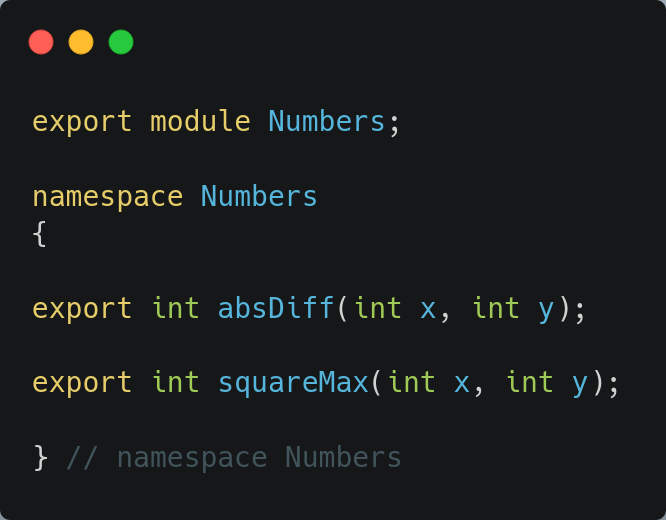
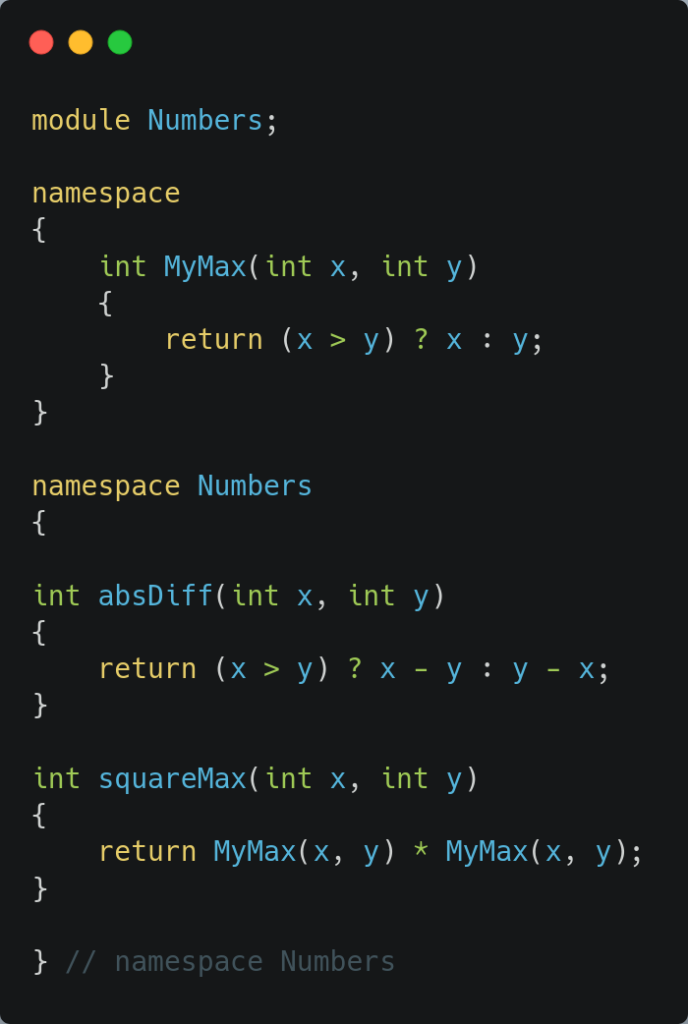
Let’s look at our NumbersImpl.cpp and our cleaned up Numbers.cpp (the primary module interface).
In the primary module interface, all what is left, are the declarations of our 2 functions.
In the module implementation unit, we find in an anonymous namespace our little helper method, and the implementation of the 2 methods. The code remains include free, and no macros to be found.
For people thinking “what about the global module fragment”. That will come in a future episode. One step at a time.
Building and re-building
An interesting area to research is, what happens when we touch a certain file ? Let’s see what the build output gives us in certain scenarios.
- touch main -> As in the past main should be recompiled and the application re-links, but main.cpp also needs to be re-scanned, and a re-collation should happen.
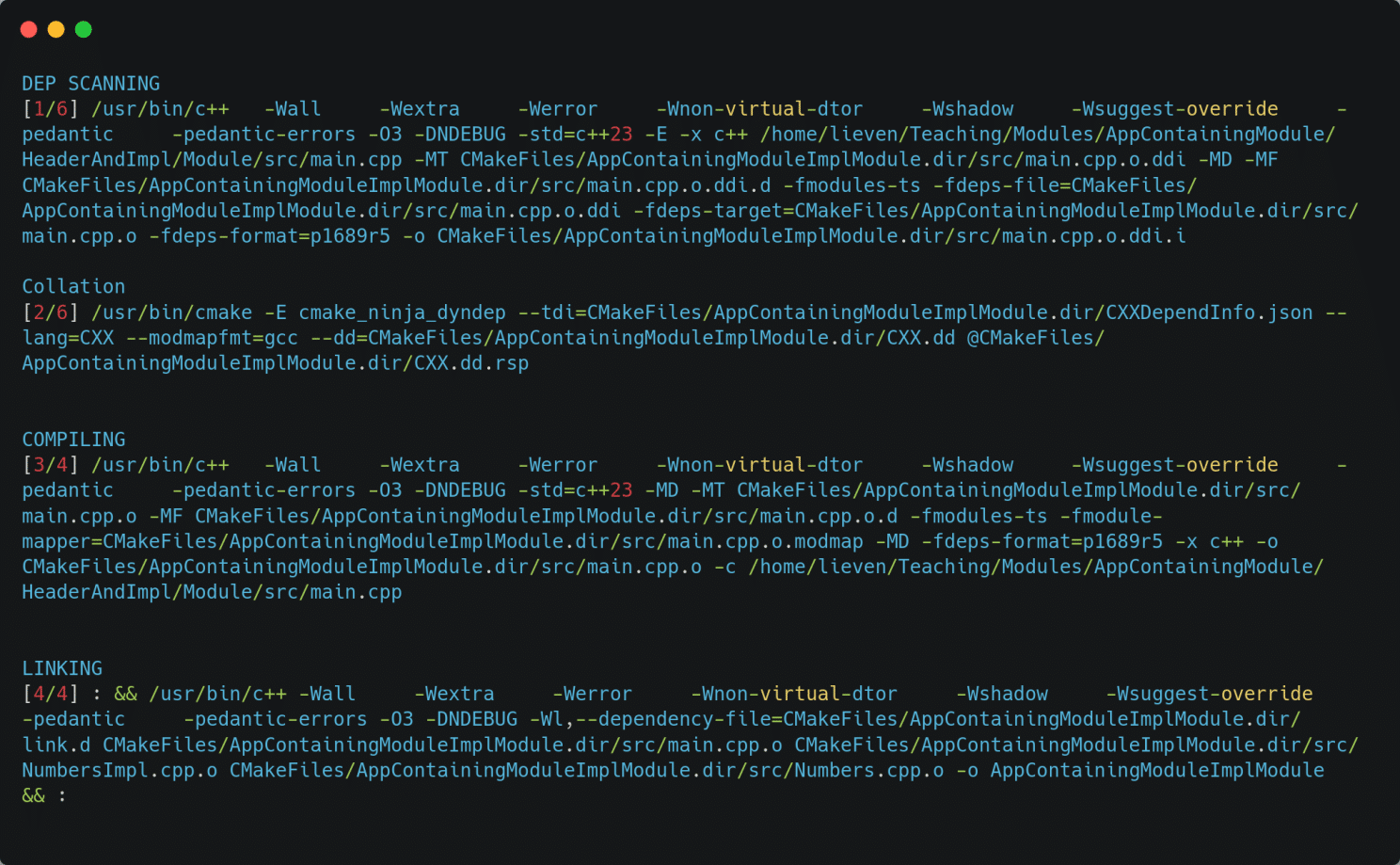
- touch the implementation unit -> we expect it to be recompiled, and the application should re-link, and as we learned we also expect re-scan and re-collation
- touch the primary module interface -> we expect the implementation unit and main.cpp to be re-compiled, as well as the recompilation of TU of the primary interface module, finishing off with the the application being re-linked. Only the TU of the primary interface unit gets re-scanned and results in a re-collation
Let’s make an overview of that:
Since we only ‘touched’ files, we did not actually modify the content, would there be any ‘smart optimization’ to detect that in the end no real changes are present ? It seems this is not the case, maybe extra options are needed for this, or this might come in future versions of the tools ?
Or another question: what if we add something “not exported” in the primary module interface unit, should we end up with the same BMI, meaning less things should recompile (for example the users of the module, the implementation should recompile since they have access to this little addition) ?


What’s up in the next episode ?
In the next episode, we will split our implementation unit into multiple implementation units, mimicking several cpp files to implement an exported interface. And how do they relate to one another ?
Leave a Reply