

Introduction
In the implementation of our module, we want to use a library, which provides its interface via a header file. Consequently we need to include that header file.
We will learn in this episode:
- how to include it
- what is the “global module fragment”
We will adjust our “MyMax” by calling the STL max algorithm, there is no need to re-invent the wheel. And in a next refactoring we could even replace all call spots of MyMax, by the STL algo call directly (also in refactoring go step by step).
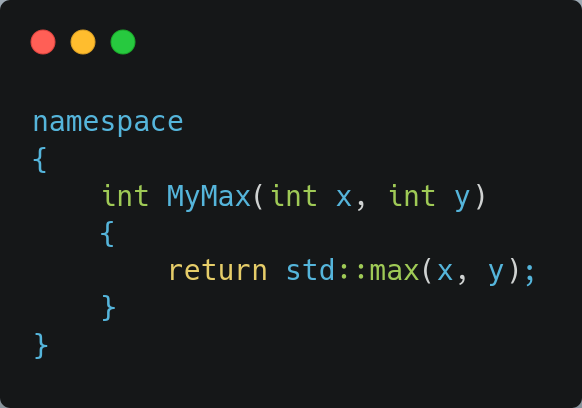
For this purpose we need to:
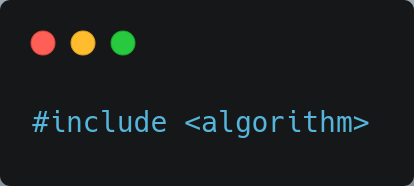
Below or Above
We know our module implementation unit starts with:
(a)
module Numbers
(b)As such we have 2 spots, where we could include the header:
- before we start our module unit (a)
- after we have started it (b)
The correct answer is (a), but let’s experiment a bit first.
What does the compiler say, when we do the incorrect thing?
Let’s start by including at spot (b):
module Numbers;

#include <algorithm>GCC complains in a not so informative way:
... a lot of stuff ...

/usr/include/c++/15/bits/move.h:228: confused by earlier errors, bailing out
ninja: build stopped: subcommand failed.Clang is luckily more informative:
.../AppContainingModule/IncludingHeaderInImpl/Module/src/Numbers2.cpp:7:10: warning: '#include <filename>' attaches the declarations to the named module 'Numbers', which is not usually intended; consider moving that directive before the module declaration [-Winclude-angled-in-module-purview]
    7 | #include <algorithm>

... and much more noiseObservations:
- attach stuff to the module (for a future episode)
- move the include before the module declaration
The latter is something we can work with. We will naively follow this advice, and things will still be wrong, but as a test to check out the feedback the compilers will give us, let’s blindly do it.
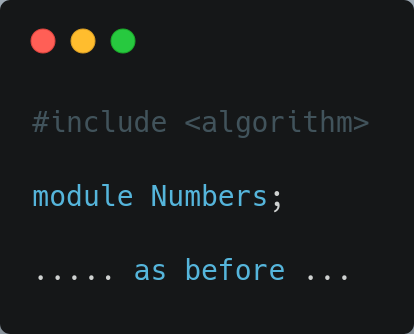
The results of the GCC jury:
.../AppContainingModule/IncludingHeaderInImpl/Module/src/Numbers2.cpp:5:1: error: module-declaration only permitted as first declaration, or ending a global module fragment
    5 | module Numbers;
| ^~~~~~and the Clang jury:
.../AppContainingModule/IncludingHeaderInImpl/Module/src/Numbers2.cpp:5:1: error: module declaration must occur at the start of the translation unit
    5 | module Numbers;
      | ^
.../AppContainingModule/IncludingHeaderInImpl/Module/src/Numbers2.cpp:3:1: note: add 'module;' to the start of the file to introduce a global module fragment
    3 | #include <algorithm>
      | ^
1 error generated.Again, clang is giving the best feedback, but gcc also gives a nice indication. The observation is:
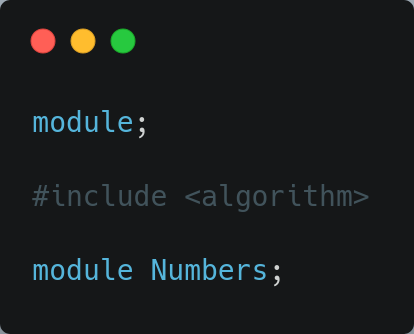
- we need a “global module fragment” … by adding “module;” to the start of the file
- module Numbers; either need to be at the start, or ending a global module fragment
Alright, let’s combine these findings, into the following:
Global module fragment
The global module (fragment) is a module at global level, without an explicit name, notice the difference between:
module;module Numbers;
The global module fragment, if present, starts at the top, and runs till a named module is declared/started.
It is the place, where the “old style”, “non module” code goes. In our use case, the spot where the include directives go. Although I do not like to swear, where a define/macro could go.
Putting things together for Numbers2.cpp
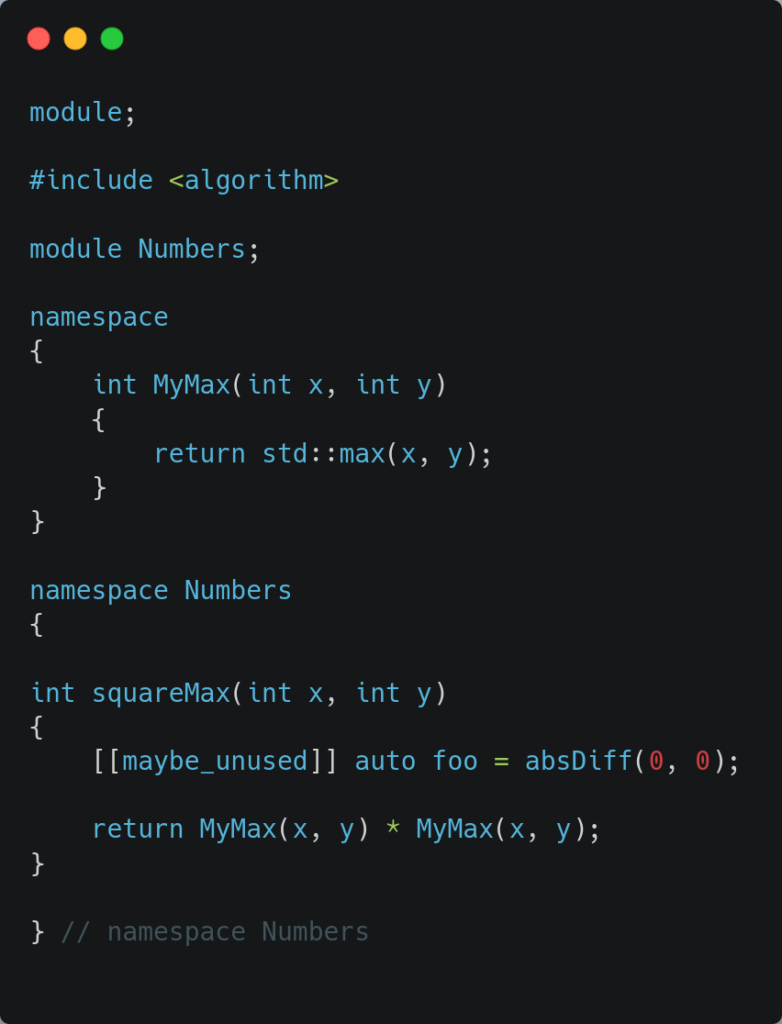
Primary module interface unit
In the primary module interface unit, an include might be needed too. Typically there are 2 potential reasons why this could happen:
- for the implementation of something, where the implementation itself is not exported (so the similar case of our module implementation unit)
- for an exported item (being it a function signature, or a type, …)
This episode only covers the first use case, in a next episode we will look at the second use case, and we will go into detail about that “attached to the module”.
When we have a global module fragment in the primary module interface unit, nothing is exported from that section.
Summary
We have seen what the correct spot is to include a header in a module implementation unit. That spot is called the global module fragment, and it starts at the top by “module;“, and ends till the (named) module declaration pops up.
Leave a Reply