
Introduction
In the 4th episode, we will do a small increment compared to our previous episode. We arrived at:
- a module embedded directly in the application sources (so not a dedicated library yet)
- a module interface unit
- 1 module implementation unit.
Typically a library has one or more exported headers (in the current example this resembles our module interface unit), and multiple private source files (cpp files/ headers) implementing that public interface.
To approach such a more realistic set-up a little bit better (remember we are still doing baby steps), we will split up our 1 module implementation unit into multiple, more specifically 2 of them.
Splitting
Our toy example, was exporting 2 functions, well let’s just have each implementation file implement just one of them. And the little helper method, which was used by one of those 2 will stay in the source file of it’s sole user.
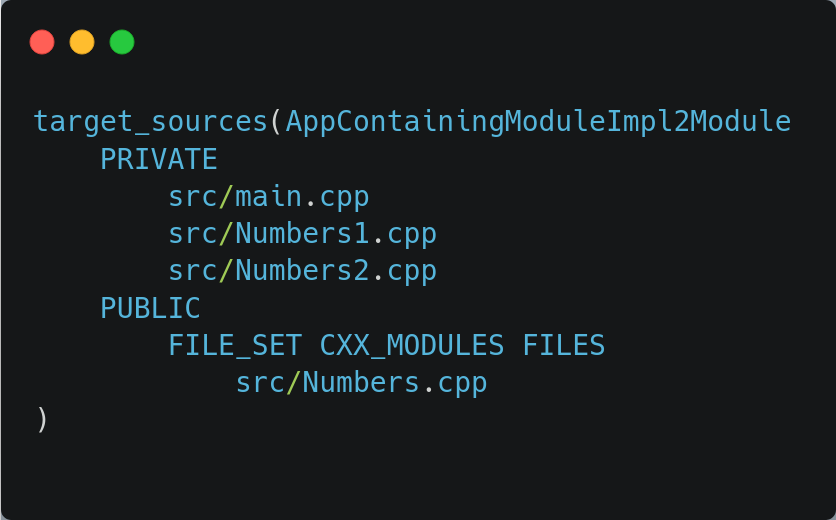
CMakeLists update
Is very trivial, we have now 2 (extra) source files. Let’s ditch our previous “NumbersImpl.cpp” and call our 2 implementation files:
- Numbers1.cpp
- Numbers2.cpp
The module Implementation units
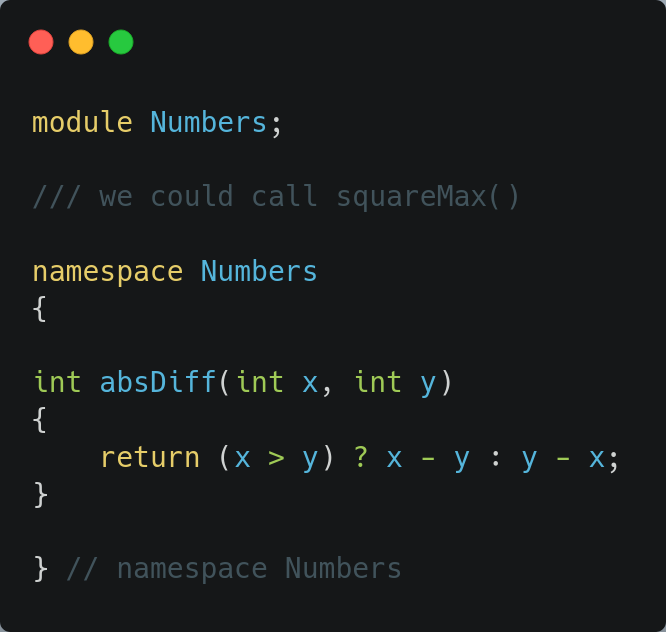
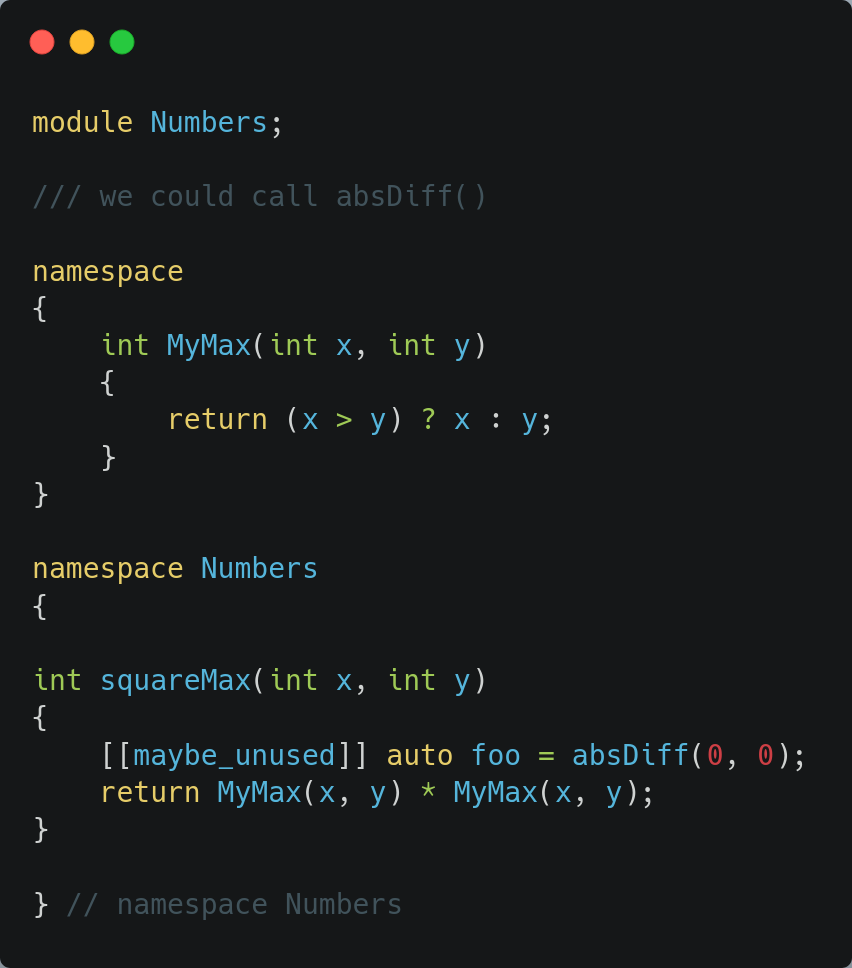
Both are rather trivial and look like this:
Things to note:
- both explicitly specify they will take part of the implementation of the module by stating at the top:
module Numbers; - both have full access to the content of the primary module interface
The latter means in this example, each could call the method from the other implementation unit. As an example in Numbers2.cpp we call the method implemented in Numbers1.cpp .
As before something in the anonymous namespace of one TU, remains only accessible in that TU, so Numbers1.cpp can not call ‘MyMax()’.
Remains Unchanged
The following remains unchanged:
- primary module interface unit, it has no clue by how many implementation units it gets implemented
- main.cpp, the user only knows about the interface, the BMI of the primary module interface unit
Touching files
The impact of touching main.cpp, Numbers.cpp remain as before (well primary module interface unit change impacts all implementation units obviously).
And touching one of the implementation units has impact as before, and does not impact the other implementation units.
I leave verifying this as homework for the reader.
Summary
A module can be implemented with as many module implementation units as we want, and those all have access to the information in the module primary interface unit.
At this moment, still out of scope, is sharing common private code between module implementation units, in the future we will see different ways of achieving this.
And that brings us to …
What’s next ?
I was a bit in doubt, do I already abandon the ’embedded module in the application” and split it off into its own library, or do we continue to play with that current set-up and bring the next module specific thing to the table. For now I think I stay with the latter approach for a little longer.
That said, what’s on the menu for the next episode. Using another (old style) library during the implementation of our Numbers module. That can be a library we made, or that could as easily be using the STL for example. We will go for the STL. The major point is, we will be using that ‘other’ library, by consuming it as something exposing its interface by header files. Consuming another module for implementing our own module, is something we will get back to in some future episode.
Next episode, we will need to include <SomeHeader> … how –> cyu in the next episode.
Leave a Reply