
Introduction
In order to experiment with modules, we need to have the correct tools available. Several distributions are not up to date, sometimes extra repositories can be added to fetch a more up to date version of a tool, and sometimes that one is also still not that up to date. In order to avoid this, we will create a virtual machine and and build some of the tools ourselves.
All experiments are on Linux, so no Windows/MSVC.
The modules ecosystem
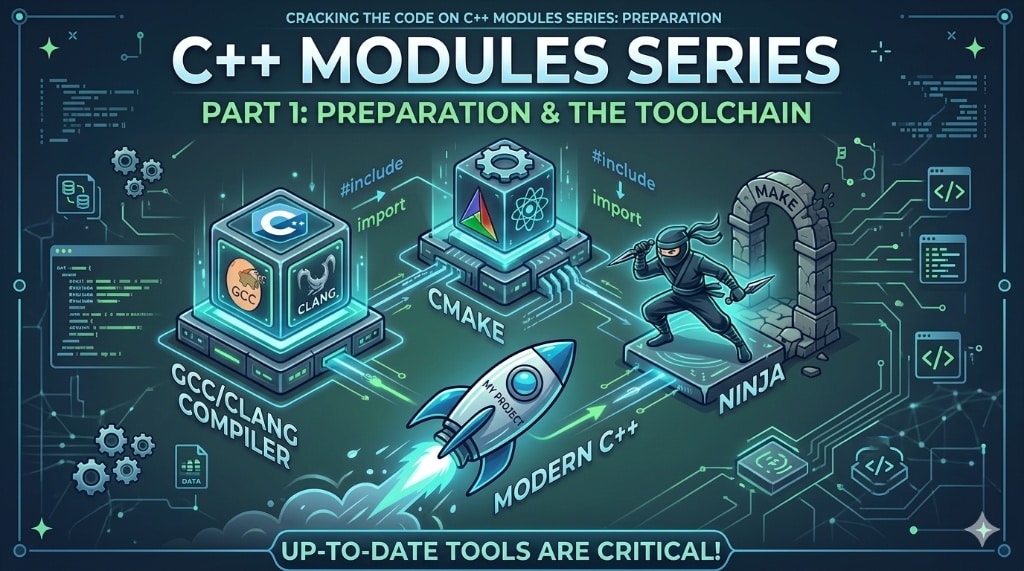
We will try to stay away of compiler specific details as much as possible, meaning the work is up to CMake. And CMake supports modules only with Ninja, not with Make. This means we need:
- compiler
- CMake
- Ninja
Make -> Ninja
For some people this might be scary. Leaving Make behind and use yet another tool ‘Ninja’. But in all examples we will not even call ‘Ninja’ ourselves, we will only interact with the “cmake –build” wrapper. In case you are interested, the Ninja manual can be found here: https://ninja-build.org/manual.html
The Virtual machine: OpenSuse Tumbleweed
Tumbleweed (https://get.opensuse.org/tumbleweed/) is a rolling release, and continuously and quickly updates its packages. At the time of writing is has the following versions for some important tools we want to use:
- GCC: 15.2.1 (16 is coming up)
- Clang: 21.1.8 (22 is coming up)
- CMake: 4.2.3 (4.3 is coming up)
- Ninja:1.13.2
- Make: 4.4.1
Installing a VM with VirtualBox is straightforward. I will use a KDE based desktop. I will assume you are able to install the VM.
Install Packages
Once the VM is up, we will install only a few minimal packages, which will allow us to build other tools ourselves. Yes, we will build some tools, instead of relying on the ones shipped with TumbleWeed. Even though the updates come rather quickly, we want them the day of the release of the tool. Especially, as we will see, building is very trivial.
From that perspective, the minimal set of packages we will install from the distro itself are:
- gcc
- gcc-c++
- make
- bintuils
- git-core
- libopenssl-3-devel (needed by CMake)
Installation can be carried out with a single instruction in the shell:
sudo zypper install make gcc gcc-c++ git-core binutils libopenssl-3-develThe packages/tools we will build ourselves will get installed (by default) into /usr/local.
Building CMake
We will use the following script. During the install step, you will be prompted for the root password.
CORES=$(nproc)

rm -rf CMake
git clone --branch v4.3.1 --depth=1 https://github.com/Kitware/CMake.git
cd CMake
./bootstrap --parallel=$CORES && make -j $CORES && sudo make installA little explanation on what is happening:
- cleanup previous clone and work directory
- clone the repo, just the release tag
- go into the work directory
- boot strap and build and install
This takes a few minutes, nothing more.
Limitation
We only have the CLI, there is no CMake GUI. Personally I haven’t used that one in over 15 years, so to be honest I think this is acceptable.
Building Ninja
At this moment it is not a newer version, but since it is all so trivial, let’s keep cooking tools 🙂
We will use the following script. During the install step, you will be prompted for the root password.
rm -rf ninja


git clone --branch v1.13.2 https://github.com/ninja-build/ninja.git

cd ninja

cmake -DCMAKE_BUILD_TYPE=Release -DBUILD_TESTING=OFF -B build
cmake --build build -j $(nproc)

# when build cmake myself it ends up in a path, like /usr/local/bin/cmake, which is not a path for sudo to look for cmake
CMAKEBIN=`which cmake`
sudo $CMAKEBIN --install buildA little explanation on what is happening:
- cleanup previous clone and work directory
- clone the repo, just the release tag
- go into the work directory
- configure CMake to generate a build system (at this moment a Make(file) based one), we do not care about the tests
- call the CMake build wrapper to build
- call the CMake install wrapper to install (notice the little trick to get the full path of CMake, since the previously hand made CMake is in a location where sudo does not look for it)
This took even less then a minute.
I want to build even more
If you got the hang of building more tools yourself, feel free to drop me a line, I have recipes for:
- cppcheck
- valgrind
- clang (yes even clang, but this one takes a substantial amount of time)
- someday gcc
Where are we ?
We have a linux system ready with up to date tools, allowing us to start using modules. So in the next episode we can start experimenting.
The idea is to have several small episodes, focusing on a small increment in the use of modules.
Leave a Reply